EasyVSL vs Veed vs NeuroVSL.ai
For a long time, business owners, video editors, and marketers have used EasyVSL to create Video Sales Letters (VSLs). But due to its limitation for higher video production videos, Veed has been a great option to easily add B-roll and create presentation-type VSLs.
However, we’ll now explore how a new software called NeuroVSL.ai can create all types of VSLs, becoming the #1 and only AI software that creates full VSLs in 10 minutes or less.
This article provides an in-depth feature and pricing comparison between EasyVSL vs Veed vs NeuroVSL.ai to help individuals, business owners and teams determine the best fit for their business needs.
EasyVSL: An Overview
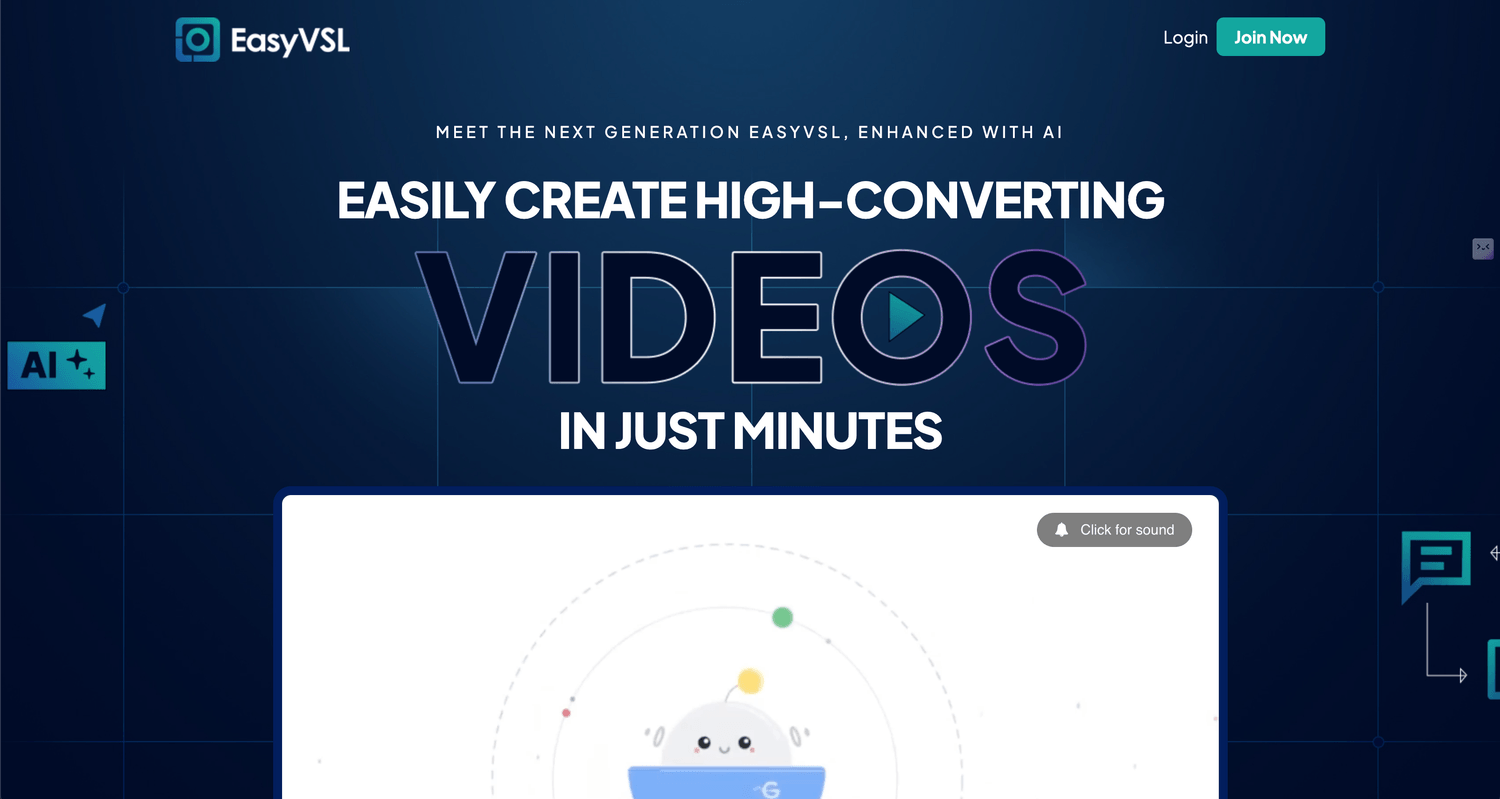
EasyVSL is a tool you need to install on your computer that easily helps you create high-converting videos in minutes. It recently added the options to create multiple formats besides VSLs, such as YouTube shorts.
Pros
1-click multiple languages
Multiple video formats
Leverages AI to create the videos
Cons
Installation needed, not 100% cloud-based
No presentation video format
No leverage of human brain science
Veed: An Overview
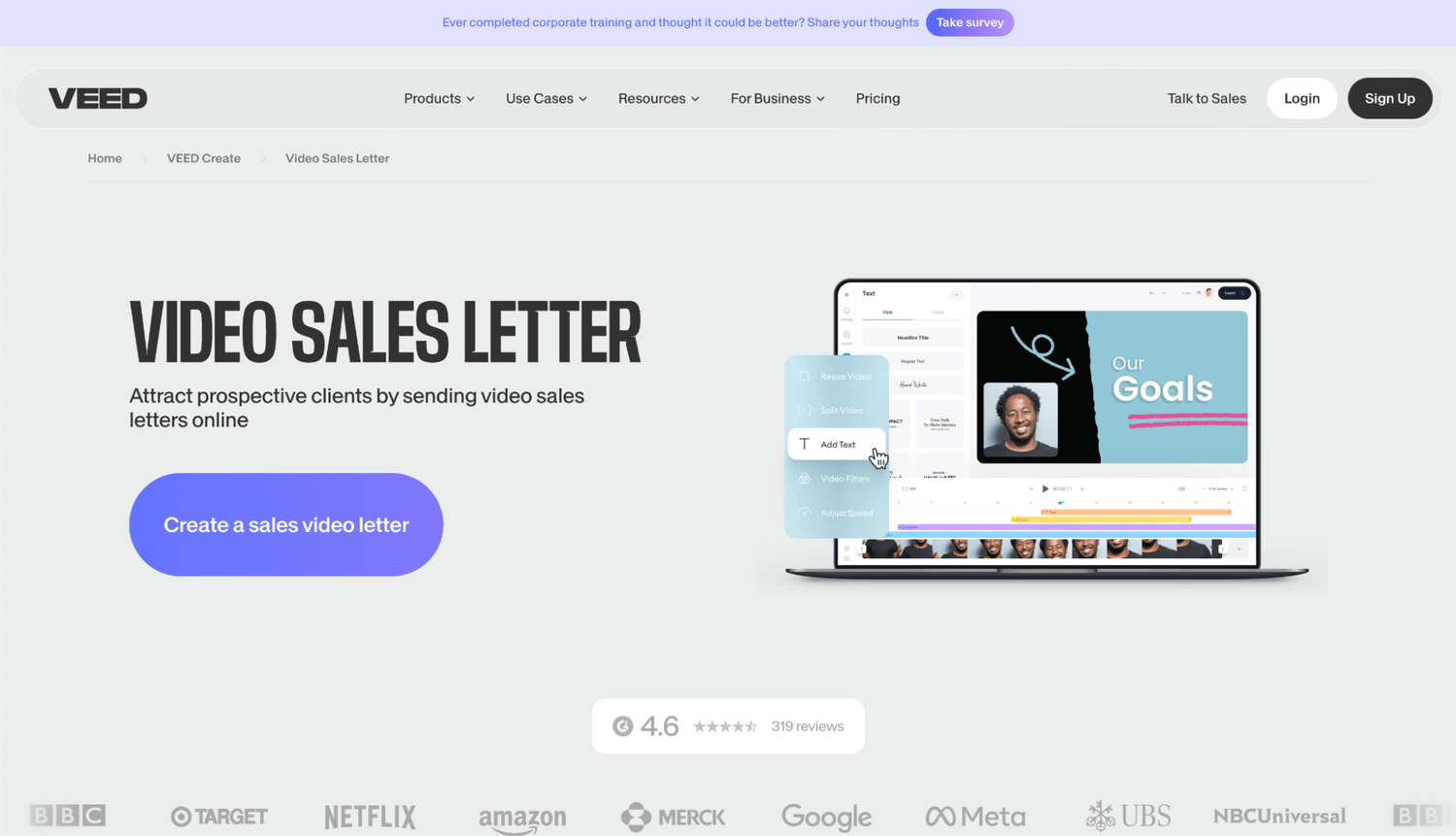
Veed is a tool that helps create professional videos. While the tool is not designed for VSLs specifically, the flexibility of the editor lets users create high-end quality videos.
Pros
Flexible timeline editor
Powerful video editor tools in addition to VSLs
Multiple formats
Cons
No AI leverage for VSLs
Manually have to record the video
Multiple dashboards and steps needed
NeuroVSL.ai: An Overview
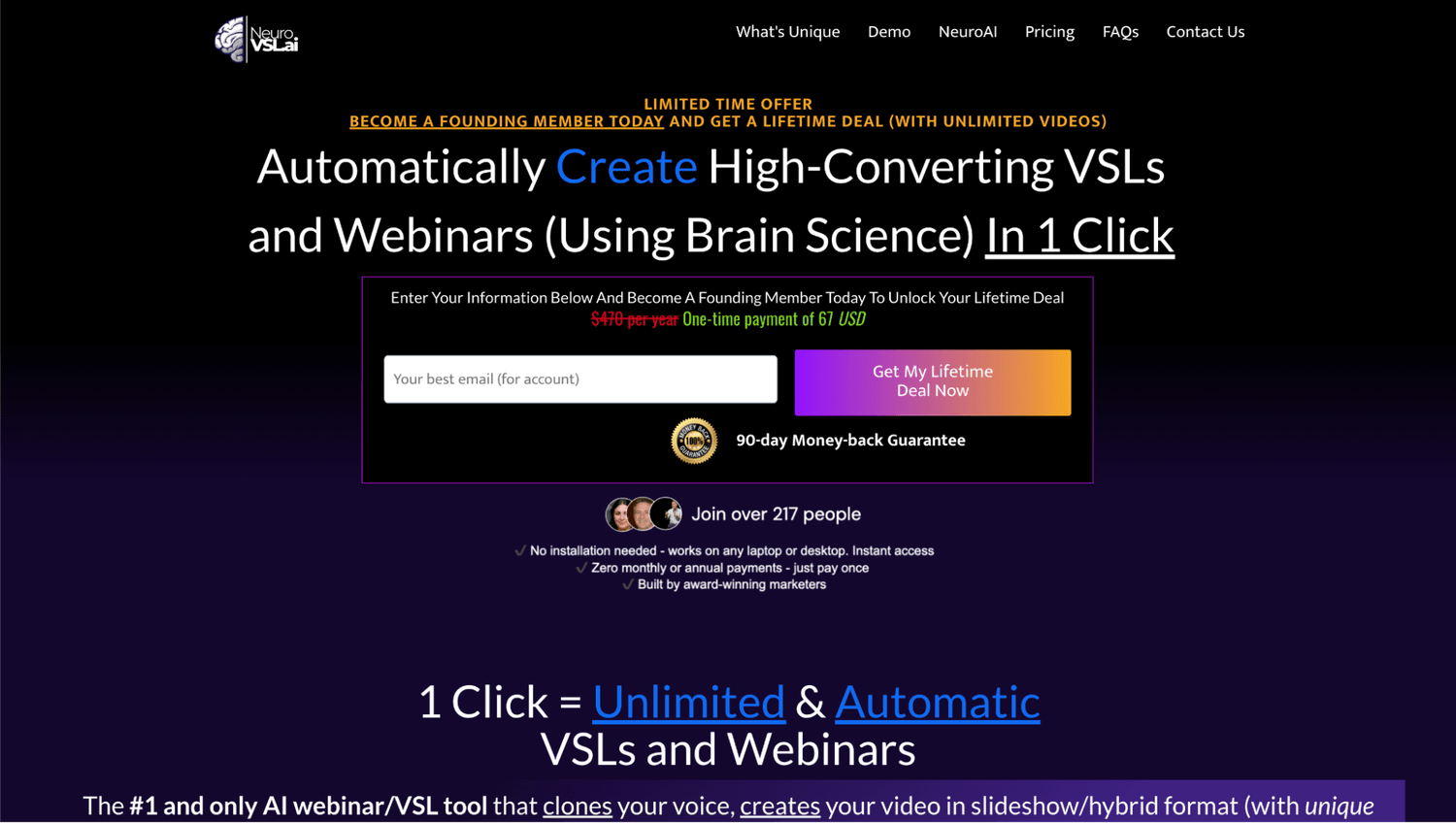
NeuroVSL.ai is the #1 and only AI webinar/VSL tool that fully creates your videos, in 1 click. It leverages brain science to create videos that not only are meant to get them done in 10 minutes, but to convert.
Pros
Voice cloning for the videos
1-click B-roll and soundtrack
In-built automatic sync of voice, audio and video
Cons
Separate tool to create scripts
Focuses only on webinars and VSLs
High-end priced tool
Dashboard Overview
EasyVSL, Veed, and NeuroVSL have a user-friendly dashboard that helps you create your VSLs, as well as a powerful yet simple video editor.
EasyVSL focuses on creating mainly slideshow videos, while Veed helps you create presentation-type VSLs with the current assets and recordings you already have. NeuroVSL.ai is the only AI tool that gives you the opportunity to create any type of VSL, just by having your script, and in one dashboard.
Key Features
Let’s explore what makes each of these softwares unique.
EasyVSL Features
To begin with, let’s check EasyVSL:
Video Sales Letter Format
EasyVSL offers the option of creating traditional (slideshow) VSLs, as well as kinetic videos. And in a recent update, they are including Live Action videos, ideal for content like Instagram Reels or YouTube Shorts.
The options of different formats allows users to create videos that fit the goal of a business or team to create a VSL.
Ease of Use
EasyVSL claims that you can create a video sales letter in just 4 steps.
First, you have to paste the script into the software, which will then create the whole presentation for you.
Next, you choose the design and effects you want to use.
Then, you sync the audio (which has to be pre-recorded) with the slides.
Finally, just publish the video in any of the different formats and sizes you need.
AI-powered tools
In the latest update of EasyVSL (October 2024), there has been an addition of AI tools that help with the video creation process.
They incorporated AI Text to Slide, which is an option that allows you to create the content of your slides based on the script you give it. This option will help people save time when creating the video.
Another feature they have is AI Text to Video. This lets users match royalty-free videos with the content of the slides and script, giving you the option to create general videos around the topic.
Lastly, they have added AI Sync technology. It uses speech recognition to sync your audio to the slides. As such, this also helps users create VSLs faster than before. The main drawback is that they integrated IBM Watson into EasyVSL, which means it’s not native and the process is dependent on the integration. This means at some point, users will have to upgrade and add the expense of IBM Watson to create their videos.
Templates and library
EasyVSL offers a variety of templates to use when creating a VSL like kinetic or normal backgrounds, along with other in-built tools like speech-to-text, or the option to add videos in a VSL. This will help create a more personalized video that adapts to the needs of the business and offer.
Veed Features
While Veed is not a tool specifically designed for VSLs, it lets people use their robust video editing tools to create them. Let’s explore the features of Veed to create VSLs:
Video editor
Veed has a powerful video editor that allows you to add images,music, and text to videos right while editing the video.
In addition, Veed helps you remove background noise from audios or videos, which makes it easy to customize the video with what you need and the way you want it to look like.
Subtitles and Transcription
With Veed, you can add subtitles to a video, as well as many other advanced video editing features.
For instance, it lets you turn audio or video to text.
Another great feature is the auto subtitle generator. For videos, it has a video caption generator. This lets users adapt their video to different formats and increase engagement.
Lastly, Veed offers the option to transcribe and translate the video you want to easily reach more people in your audience.
AI tools
The use of AI inside Veed is remarkable. It has the option to create AI Avatars, images, voices, and even videos. Users can now turn text into any of the previous formats, just using their imagination. This type of content would work best for formats like YouTube Shorts, Instagram Reels, or TikTok.
Additionally, they offer some AI tools to work within a video, such as Eye contact or voice dubberm which helps you personalize the content of your video even more.
NeuroVSL.ai Features
NeuroVSL.ai wants to change the way we create VSLs and webinars, and how fast we can create them. Let’s explore some of the features:
Brain science at its core
The main differentiator of NeuroVSL.ai is that it combines the speed and simplicity of AI with the latest brain science to create the videos. It doesn’t just add B-roll or sync the content with the audio, but it also optimizes them to make sure they grab and keep the attention of viewers.
Simple dashboard
NeuroVSL.ai lets users create their VSLs or webinars in one simple, yet powerful dashboard. The options to make the video a high-end quality video, choose an AI voice (whether it’s one you previously recorded or a pre-built one) and then sync everything happens in one dashboard.
With the push of a button, you can customize your VSL or webinar and get it done in less than 10 minutes. The idea is that anyone who needs to create any of these videos can do it without editing skills or having to spend days creating them.
Slideshow and presentation videos
Another great advantage of NeuroVSL.ai is that it lets you not only create slideshow VSLs and webinars, but also hybrid and presentation-type videos.
With the use of AI Avatars and the sync technology behind that combines AI with brain science, NeuroVSL.ai lets either clone someone or also take one of the pre-built Avatar to use in the videos. This allows business owners, marketers and teams to test different formats fast, while creating a video that resonates with their audience and drives the desired results from their VSL or webinar.
The main advantage is that contrary to the other tools to create a VSL or webinar, NeuroVSL.ai is the only one that doesn’t require you to have your video or audio pre-recorded to move and create the video. With a single click, you can create different videos to test at the same time. In the future, they are planning on setting up the option to create the scripts for the videos as well, with a tool called NeuroScripting.
Pricing
EasyVSL Pricing Plans
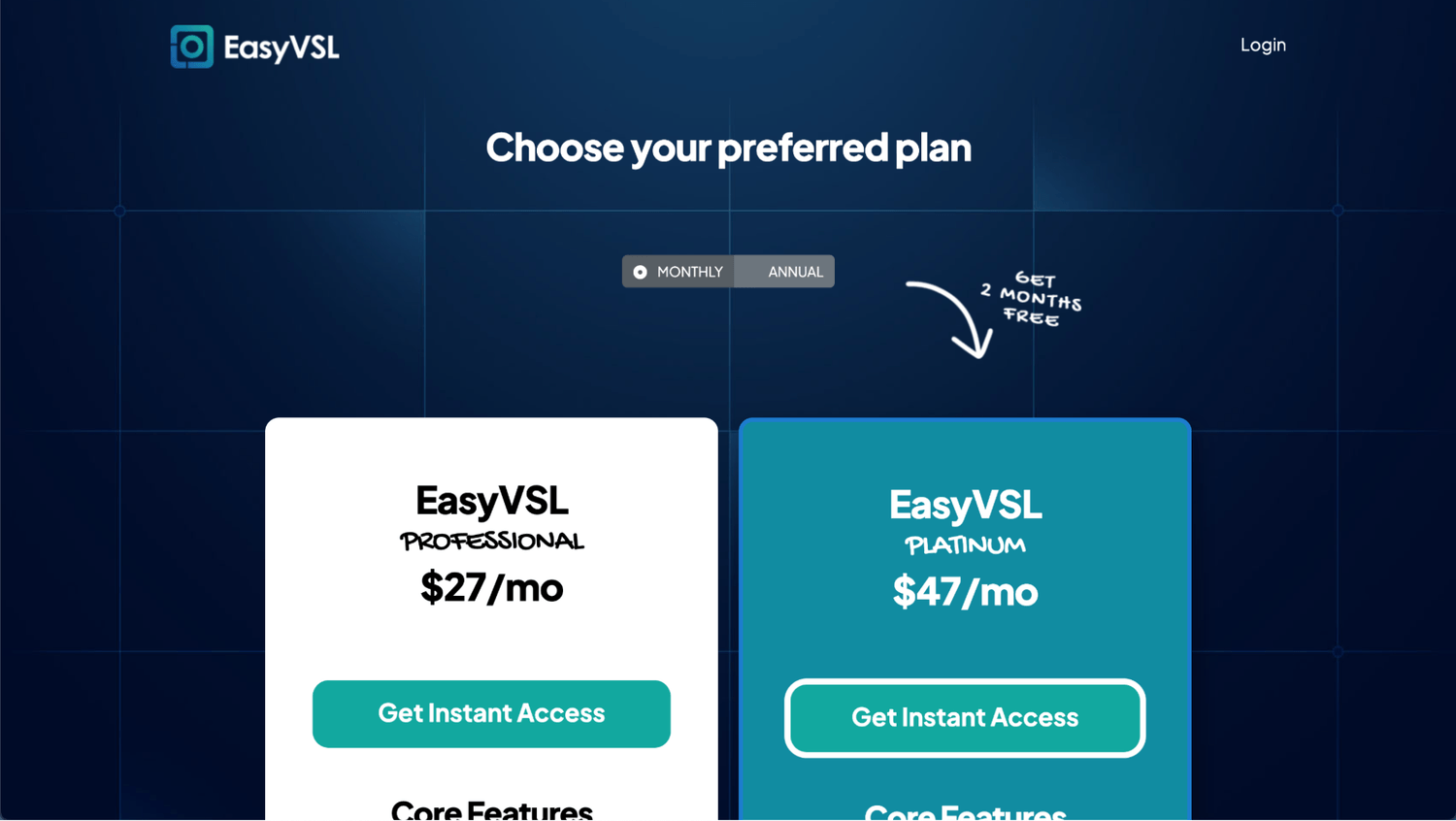
Due to its popularity, EasyVSL offers 2 tiers that are based on the usage a business owner or marketer would need.
The first option is EasyVSL Professional. It has a payment option of $264 per year, or $27 per month. This option provides essential features for those new to creating video sales letters and that might not need to produce a lot of VSLs. Plus, most features like syncing, footage, and video creator are limited.
The second option is EasyVSL Platinum. It has a payment option of $468 per year, or $47 per month. The features and access are the same as EasyVSL Professional, yet with more access to the features (not unlimited).
This flexibility allows users to choose a plan that suits their needs based on how many videos they will need to produce on a consistent basis.
Veed Pricing Plans
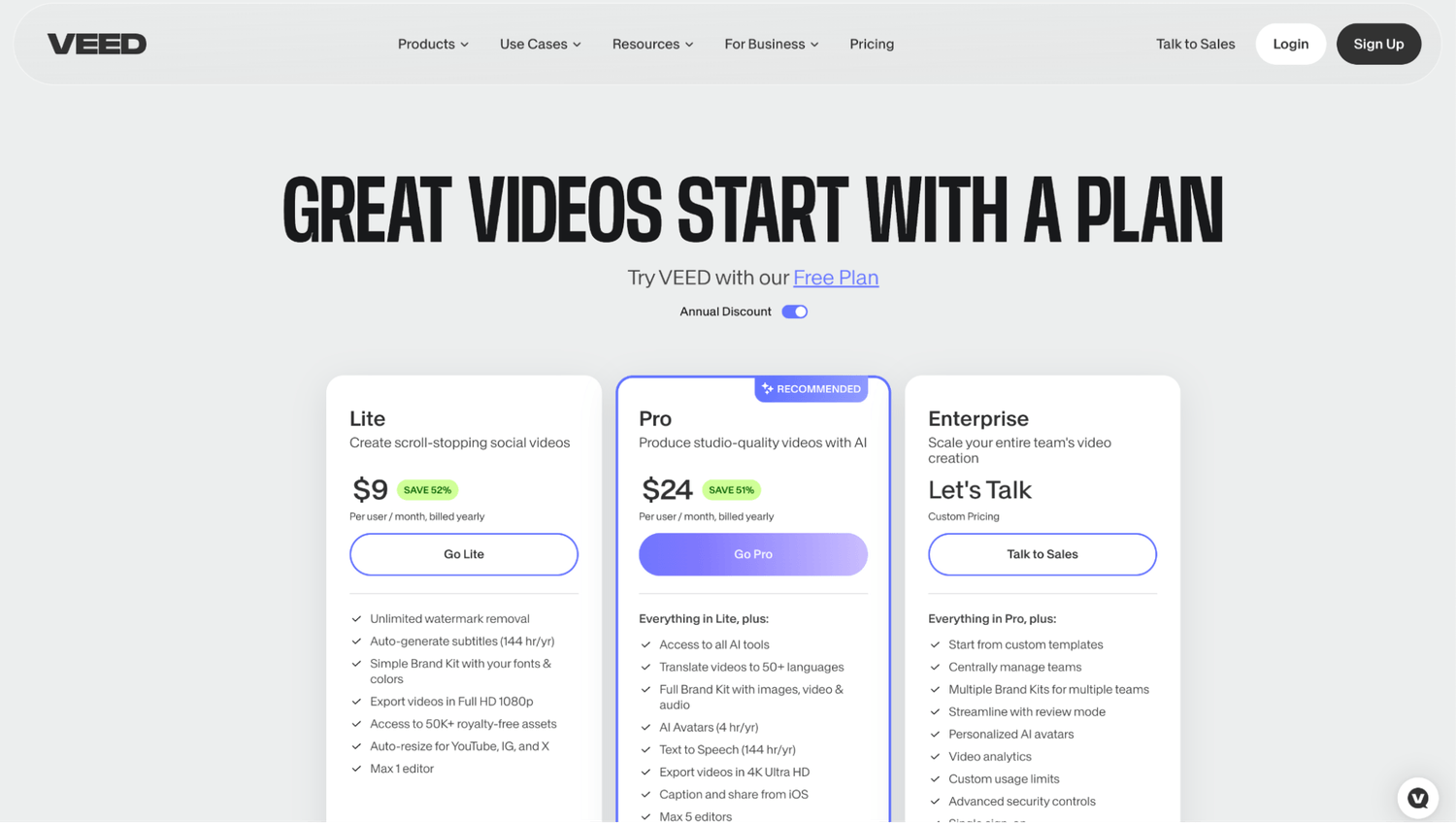
As Veed has become a powerful video editing tool, it offers different pricing options that adapt to different needs. They give a variety of options in the time of videos and how much access to advanced AI tools like AI Avatars, usage, and templates you have.
For those who want to try Veed, there’s a free plan available. This first option allows up to 10-minute videos, limited access to footage, and watermarked videos. This option is ideal for those who want to test Veed before upgrading to a paid plan, given the limitations.
The second option is Lite. It starts at $108 per year, or $19 per month. This option offers to download videos without watermark as well as up to 144 hours of auto-generated subtitles per year. In addition, it offers some simple 4K video export options as well as resizing for different video formats.
After that, comes the Pro plan. It starts at $288 per year or 49 per month. Here, it has access to all AI tools, as well as translation, AI Avatars, text to speech and 5 users max.
Lastly, it offers an Enterprise option, which gives users more flexibility, the option to have personalized AI Avatars, video analytics, and more. This option would be tailored to the needs of each organization, so they should talk to a representative first.
Overall, Veed offers a great set of options to create videos that adapt to different mediums, based on the needs and video production output from each individual or organization.
NeuroVSL.ai Pricing Plans
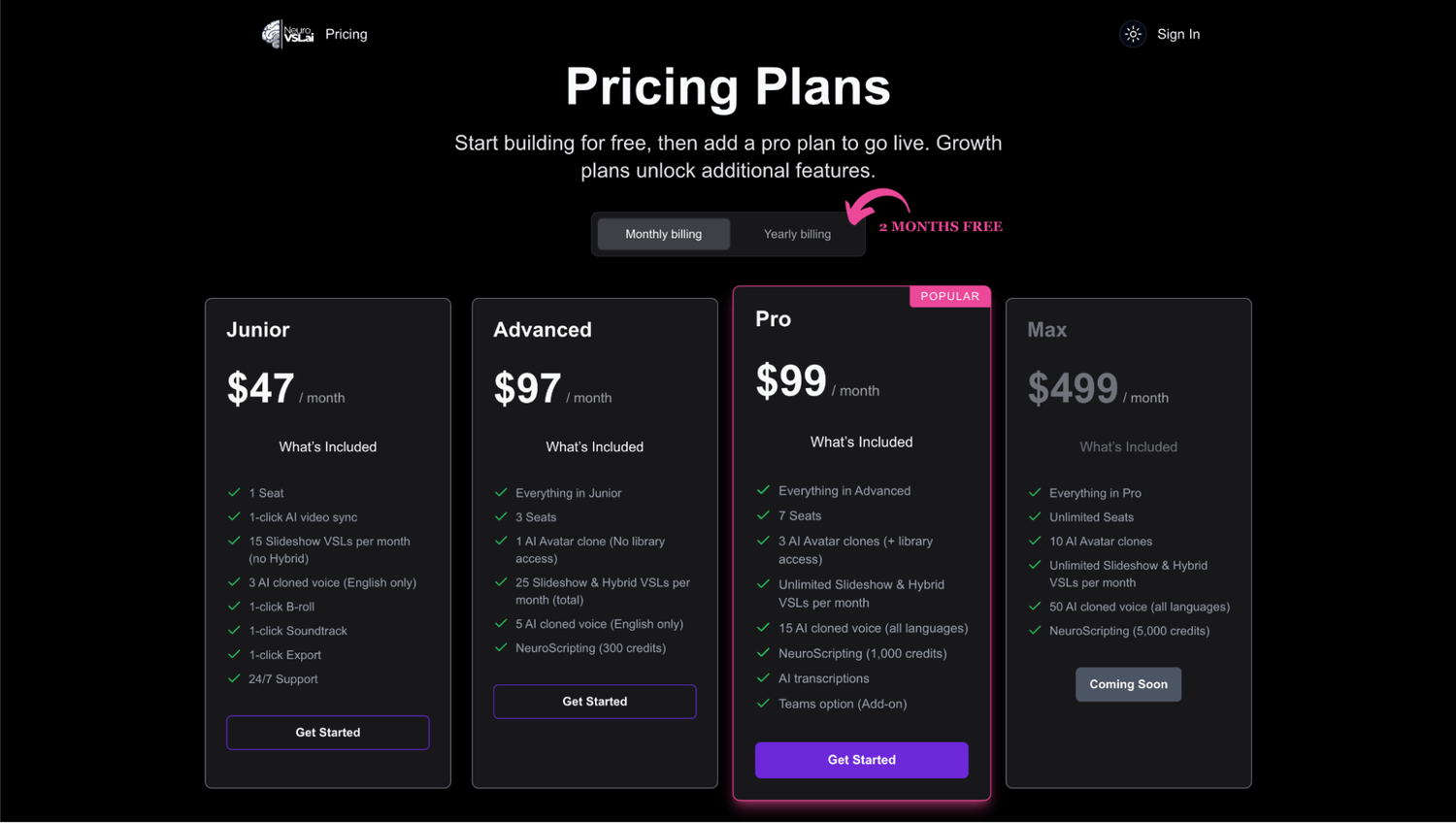
At the time of this comparison, NeuroVSL.ai is offering 3 pricing options that give the business owner, marketer or team the tools they need.
First, they have a Junior plan. It starts at $470 per year or $47 per month. This tier includes the option to create slideshow videos with all the tools to add up to 3 AI cloned voices (in English), add B-roll and soundtrack, and then sync everything in 1 click. There is a maximum of 15 videos per month, which might be more than enough for marketers or businesses that need volume but not presentation-type VSLs or webinars.
Next, there is an Advanced plan, which starts at $970 per year or $97 per month. This option starts giving users the full capacity of NeuroVSL.ai, which includes 1 AI Avatar clone and up to 5 cloned voices, and up to 25 videos in total. There is an AI tool called NeuroScripting that comes with 300 credits per month, enough to create one lead or close for a VSL.
The next option is the Pro plan, which starts at $990 per year or $99 per month. Here, you can have up to 7 users, with the option to create 3 AI Avatars, 15 AI cloned voices, and unlimited videos. You get 1,000 NeuroScripting credits per month, and the option to add transcription to videos and start managing teams as well.
The last plan is called Max, and while it’s not available yet, users have the option to add unlimited users, 10 AI Avatar, and 50 AI cloned voices. They will also have the option of 5,000 NeuroScripting credits per month.
NeuroVSL.ai is currently running a Lifetime Deal. Check it out here.
Final Words
When business owners, marketers, or teams need to create a VSL or a webinar, they have multiple options to create them. From relying on software tools to hiring a high-end video production company, it all comes down to how much time they are willing to wait to get the video, their budget, and how the video fits into the strategy they are using.
EasyVSL, Veed, and NeuroVSL.ai offer a wide range of options for businesses to choose from the one they consider the best and that will give them the options to create high-end videos that deliver the results they want.
SHARE


Get weekly conversion secrets...
about marketing, copywriting, and business development from an award-winning (neuro)marketer and 7-figure copywriter.
Created with © NeuroVSL.ai• Privacy policy • Terms of service